
Delivery Tribe SIM cards, called Flickswitch SIM cards, need to be set up on the driver's device in the Deliveree app as illustrated below. Follow the steps below to set up your Deliveree Tribe SIM card.
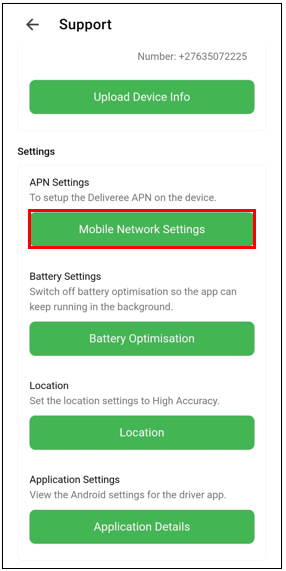
In the Deliveree app, go to Support and select "Mobile Network Settings."
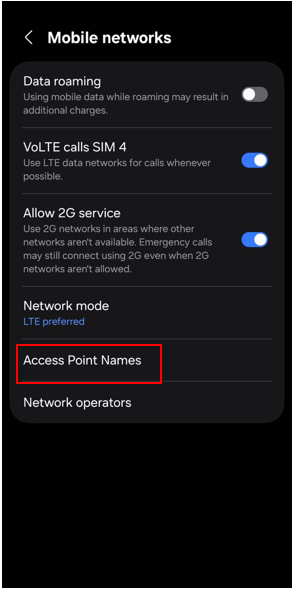
select Access Point Names
Add a new access point name by selecting the plus + sign in the top right corner of the screen.
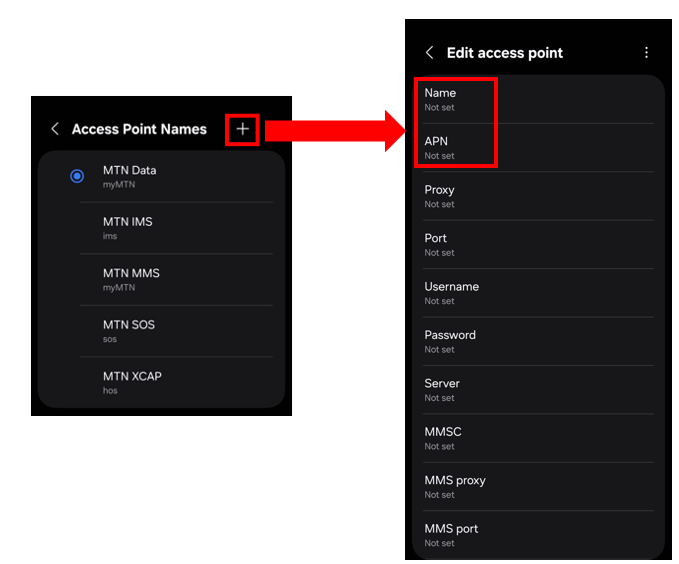 Select Name to set the name to "flickswitch" and select ok. Select APN and set it to "flickswitch." and select ok.
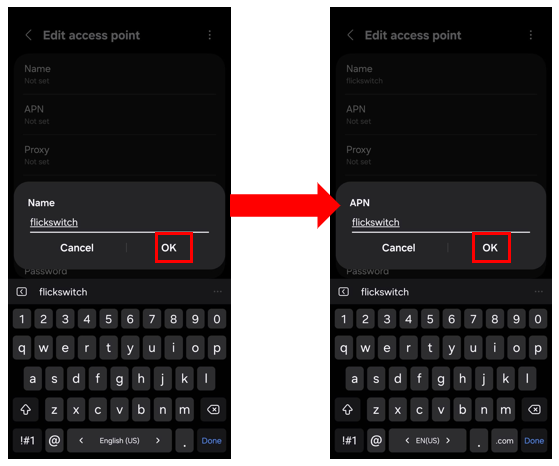
Once you finish, set the name and APN to "flickswitch," as shown below. Then, click the three dots in the top right corner and select "save" to store the configurations.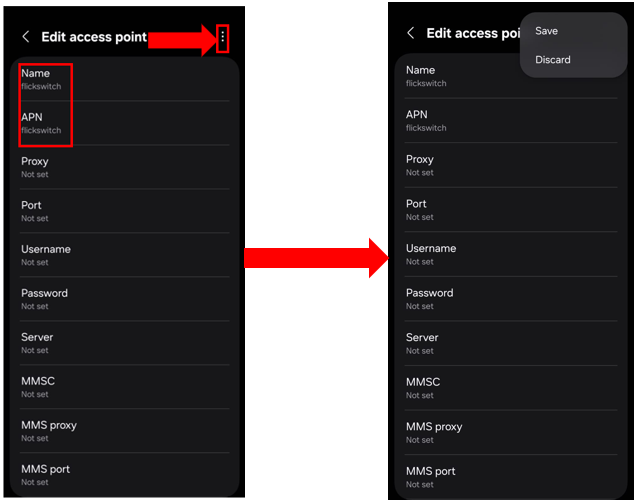
The new APN will appear in the list of available APNs on your device. Select flickswitch for mobile data.
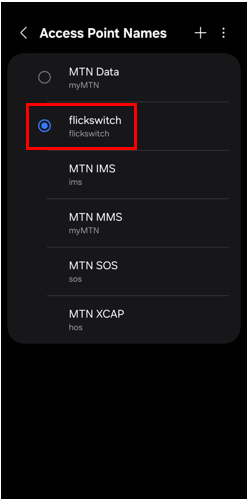 If you are using Wi-Fi, turn it off and restart the device to use Flickswitch for mobile data.
For additional support, email support@deliverytribe.co.za