Reports are vital as they assist the Administrators/Managers/Operators in gathering information that will assist them in better managing their Drivers and Delivery services. By understanding the information the system provides, Administrators/Managers/Operators can make the necessary operational changes that will improve the customer’s experience.
For a detailed view of each report, check out the Quick Guides for reports:
http://support.deliverytribe.co.za/support/solutions/folders/44001218805
To access reports: From the driver station, you will be able to logon and all reports. Follow the steps below:
Step1: login to Deliveree. https://client.deliveree.co.za
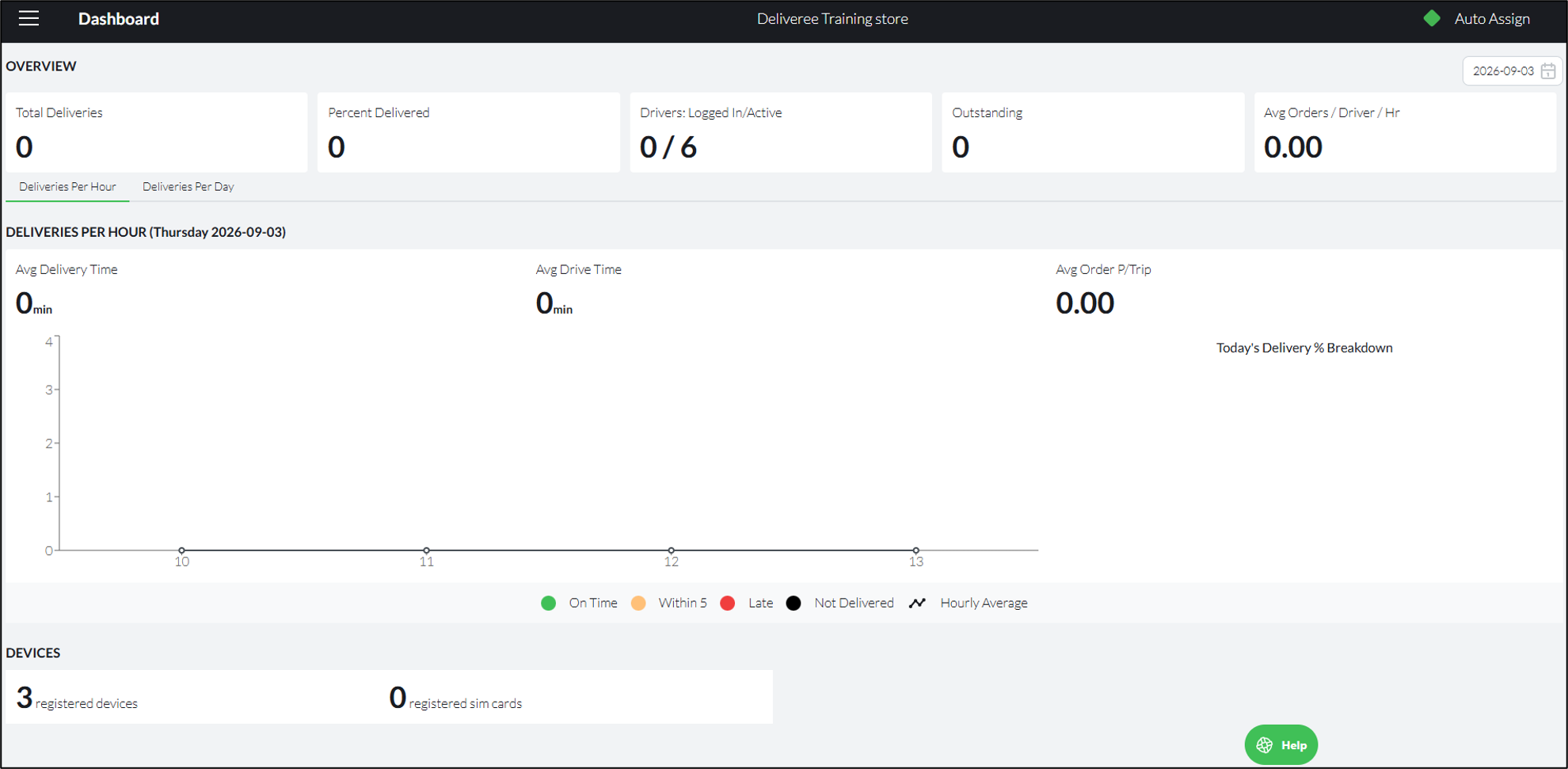
The Deliveree API will open up on The Client Dashboard as pictured below:

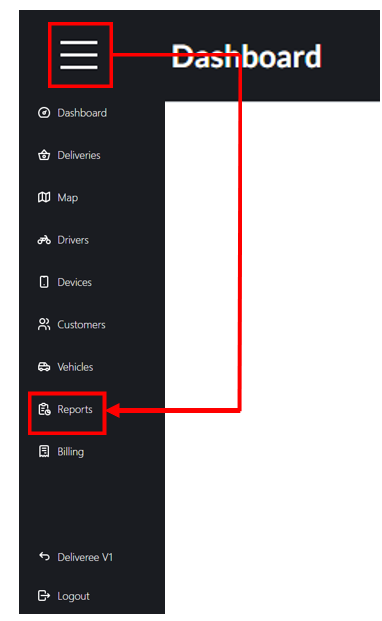
Step 3: From the dropdown menu select REPORTS.
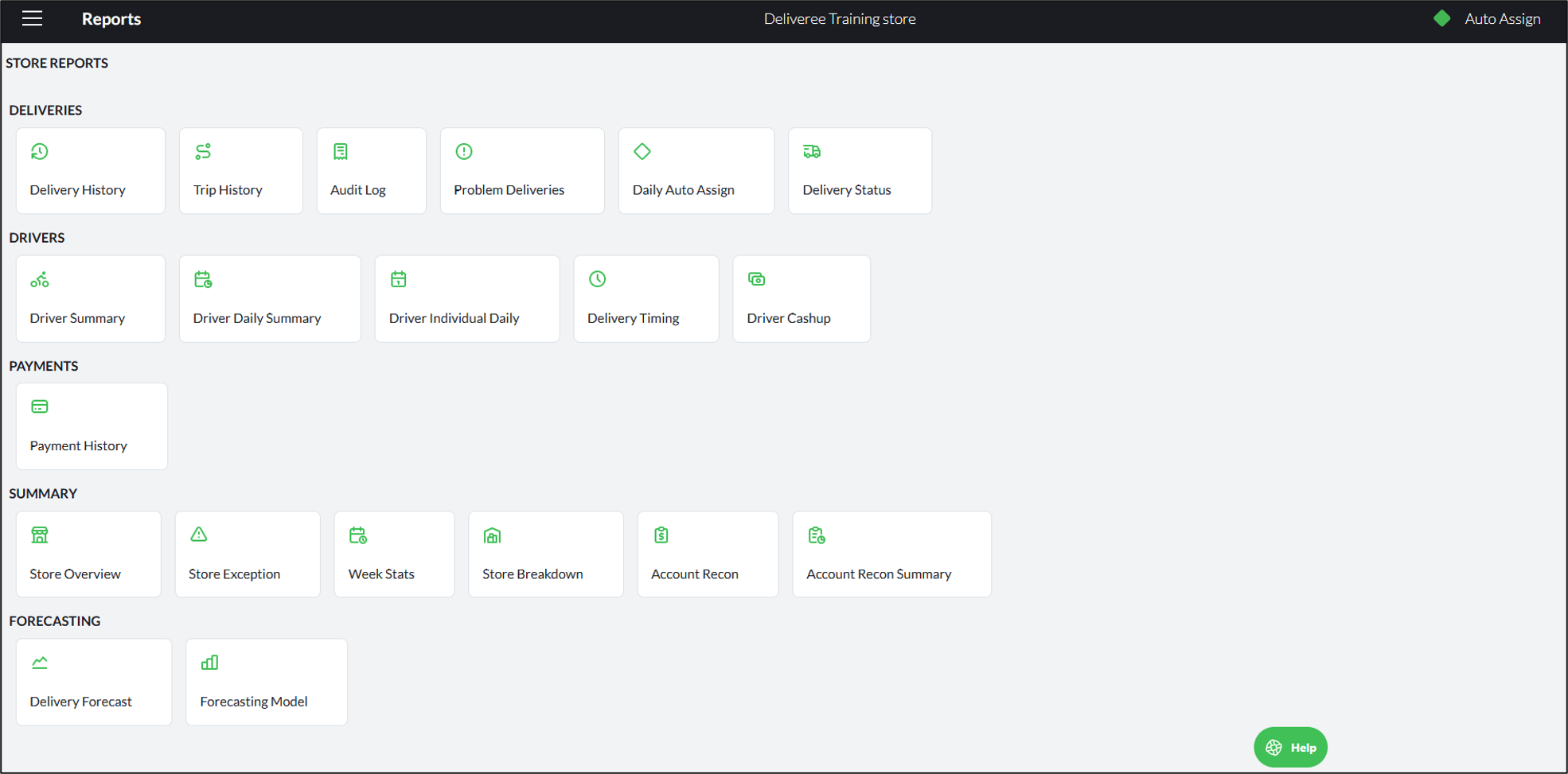
There are five report categories on Deliveree:
- Deliveries reports
- Driver Reports
- Payments Reports
- Summary Reports
- Forecasting
Step 4: To select any report, you will click on the blue block.
Attached is the full user guide that explains each report in detail- please think of the planet before printing.
For additional training on how to generate and understand the reports, please e-mail support@deliverytribe.co.za.
Learning Material Feedback Form
We would love to hear your thoughts and suggestions so that we can improve our training material. Please follow the link and provide us with feedback:
https://form.jotform.com/210180530919551